How it works
Six stages, one record.
Nothing gets retyped between steps, because there are no steps — there is one job record that gains detail as the work moves. That is the whole idea, and everything else follows from it.
The lead arrives and the clock starts
A capture form on your site creates the lead and scores it. Moving the card out of New stamps the moment you first made contact — the single factor that most predicts whether the job closes.
- Public form with spam protection and rate limiting
- Pipeline board from New through Won or Lost
- Win probability with the factors behind it, not just a number
- Ranked next actions so a promising lead never sits for a week
You price it off your own numbers
Line items come from your cost catalog with markup per line, and gross margin updates against your target as you build. Alternates get priced without being counted, so an option can't silently inflate the contract.
- Your catalog, your rates, your markup — not a generic template
- Live margin against your target as you edit
- Autosave, so a two-hour estimate survives a closed laptop
- Branded PDF proposal that shows scope at sell price only
They sign, and the job stands itself up
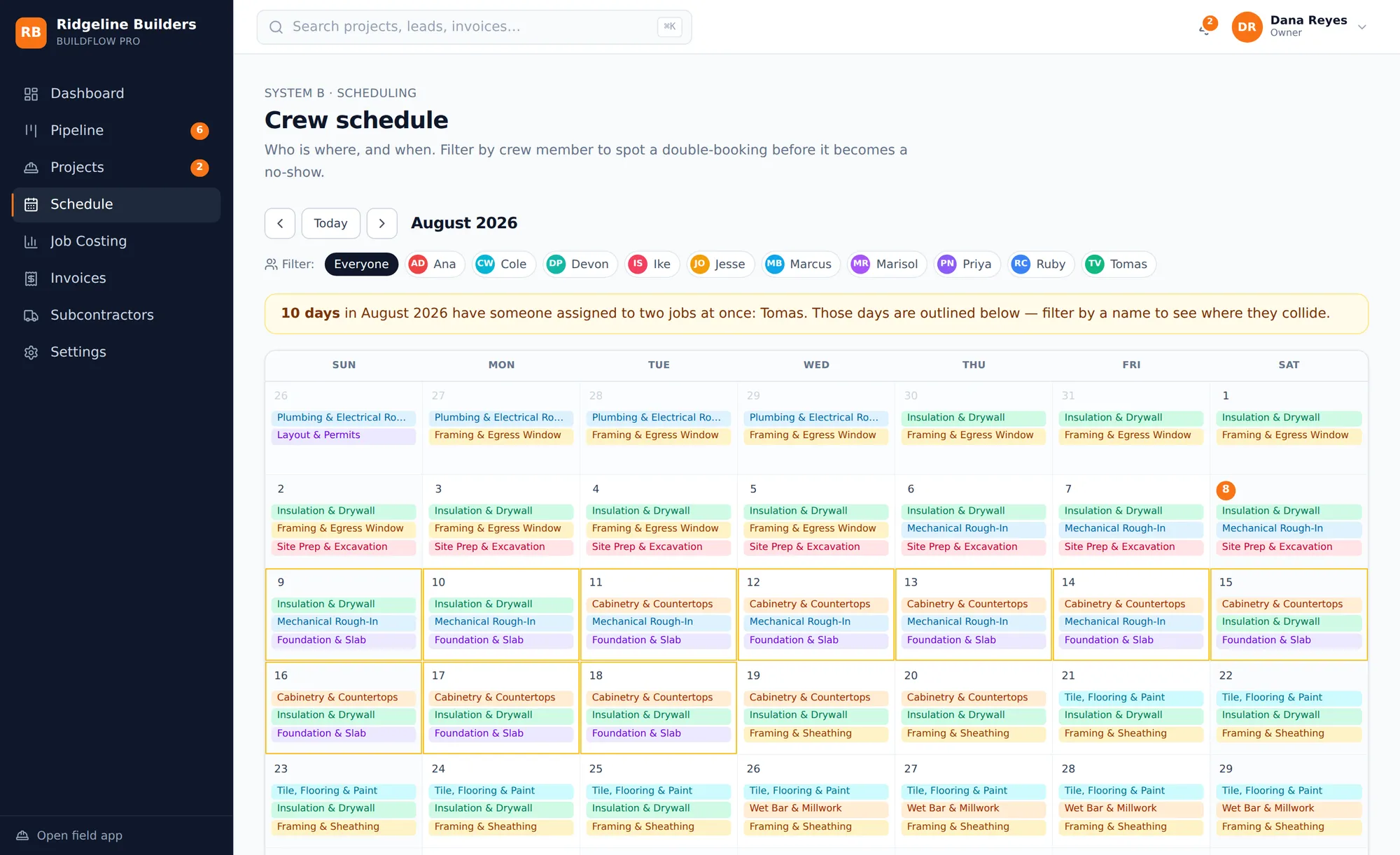
Signature locks the contract and, in one transaction, creates the project, seeds the budget from your estimate at cost basis, builds the schedule with its dependencies, and opens the client portal.
The crew works and the record writes itself
Field logs go in from a phone with photos, weather, hours, and delays. The app works with no signal — entries queue on the device and sync when it comes back, without duplicating.
- Up to twenty geotagged photos a day
- Crew see no dollar figures anywhere in the product
- Hours post to job costing at a burdened labor rate automatically
- Change orders raised by crew, priced and approved by the PM
The money stays current instead of arriving late
Every expense carries a project and a cost code — enforced by the system rather than requested on a form. Budget versus actual rolls up per code and per project, with committed costs from open POs included.
- Remaining = Budget − Committed − Actual, live
- Earned-value forecast at completion
- An alert while a code still has 10% left, not after it's gone
- 36 NAHB-standard cost codes pre-seeded and editable
You bill on progress and get paid
Completing a milestone raises an invoice for the delta against what has already gone out. The client pays by card; funds hold until they approve the work and the inspection window closes.
- Milestone billing that can never double-bill
- Escrow hold with a configurable inspection period
- Release refused before client approval and before the window elapses
- Invoices push to QuickBooks; expenses pull back
Who sees what
Four people, four different products.
The same job looks completely different depending on who opens it. That is not a permissions checkbox — the views are built separately because a PM at a desk and a framer on a ladder do not need the same screen.
Owner
Everything. Company-wide margin, the pipeline, org settings, who has access to what.
Project manager
Projects, schedules, costs, and invoices — but not org settings or user management.
Field crew
A phone-first app: today's tasks, the daily log, the clock, and a way to raise a change. No dollar figures anywhere.
Homeowner
Their own project at a link. Progress, photos, approved changes, and their invoices. Nothing of yours.